Skip isn't a miss.
Mark a rest day and it stays out of the streak. Sick, away, or just off. The square shows a rest, not a zero. You can leave a note on the day if it had a story.
iPhone and Mac
Habitumap is a habit tracker made of heatmaps. Log a day in one tap from your Home Screen, Lock Screen, or Mac. Rest days aren't failures. Small days still count.
An illustrative year. Not someone's real history.
A habit can be daily, on certain weekdays, or a few times a week or month. The streak follows the rule you set. The heatmap keeps every day you showed up, including the quiet ones.
01
One tap when the day is done. Tap again if you logged it by mistake.
02
Reps, glasses, sessions. A step button adds the next chunk, or you can type the exact number.
03
Pages, miles, minutes you measure yourself. You name the unit.
04
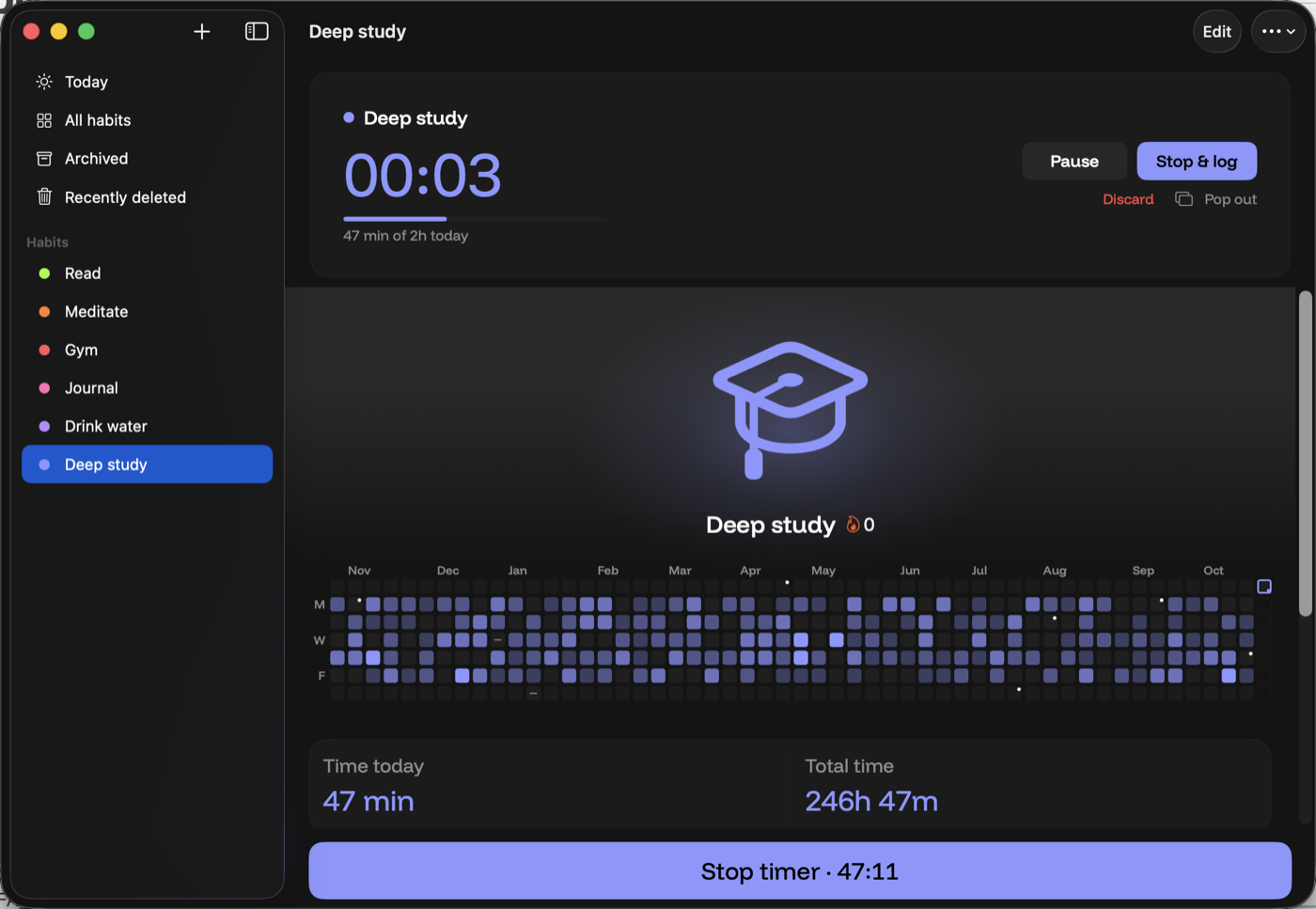
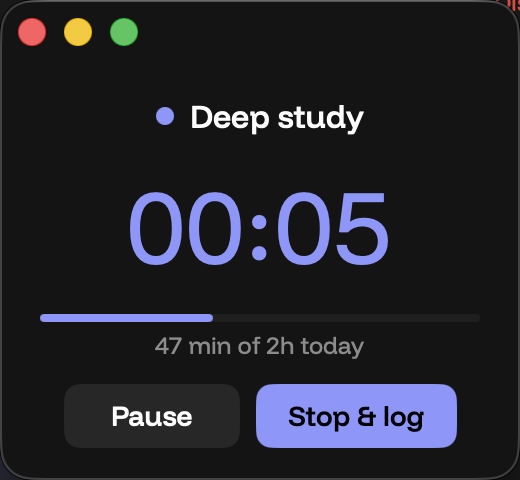
Start a timer, pause it, stop to log. Forgot the timer? Add the minutes afterward. They add up.
Mark a rest day and it stays out of the streak. Sick, away, or just off. The square shows a rest, not a zero. You can leave a note on the day if it had a story.
For something you're putting down. Sugar, nicotine, a scroll you want less of. Each clean day fills a square. A slip is marked, then tomorrow is still yours. Neutral on purpose. Not medical advice.
Home Screen, Lock Screen, and Mac. A tap can check a habit, add to a count, or start a timer. You don't have to open the app for that. The pictures below are the real widgets, with sample habits.
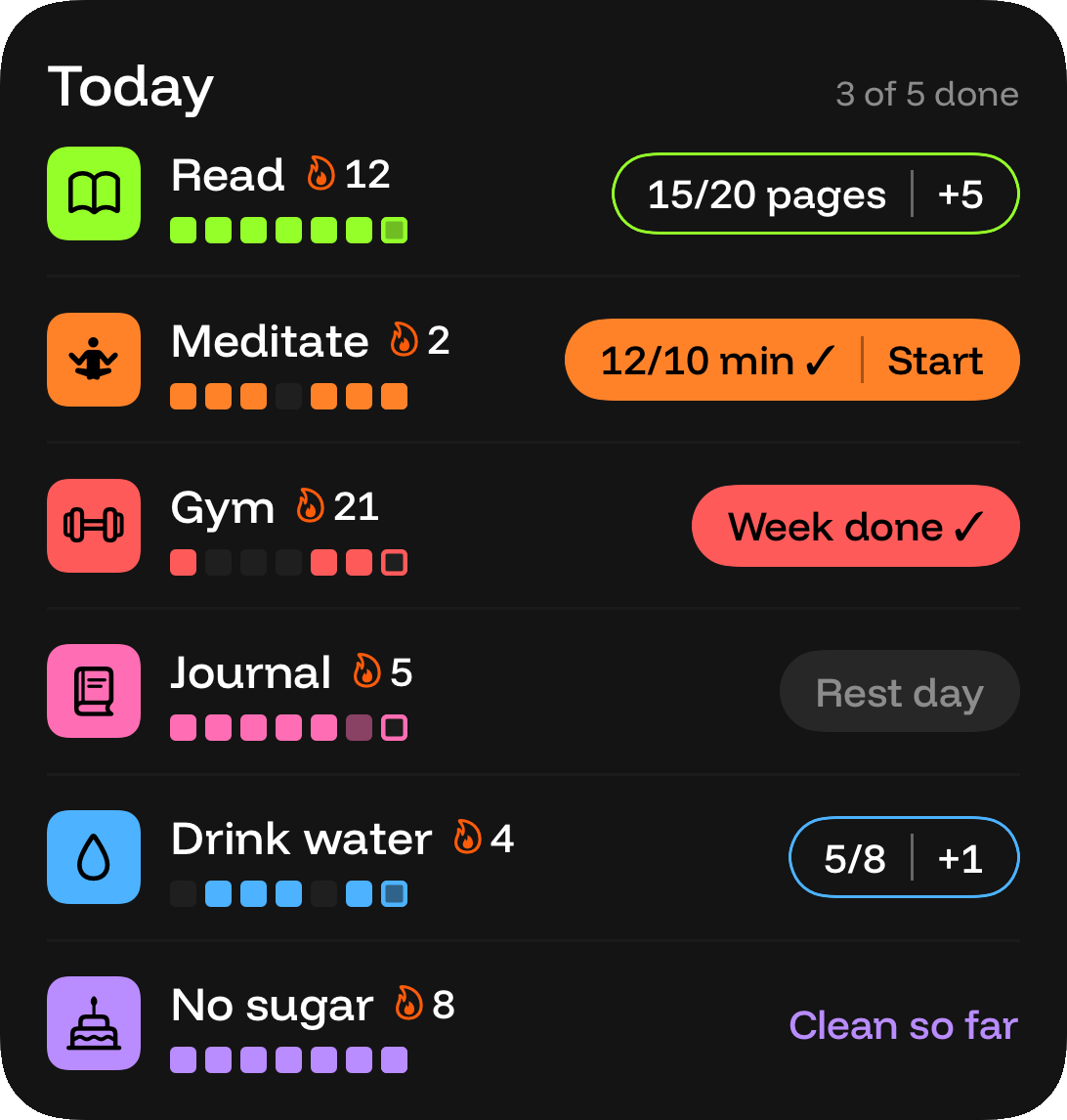
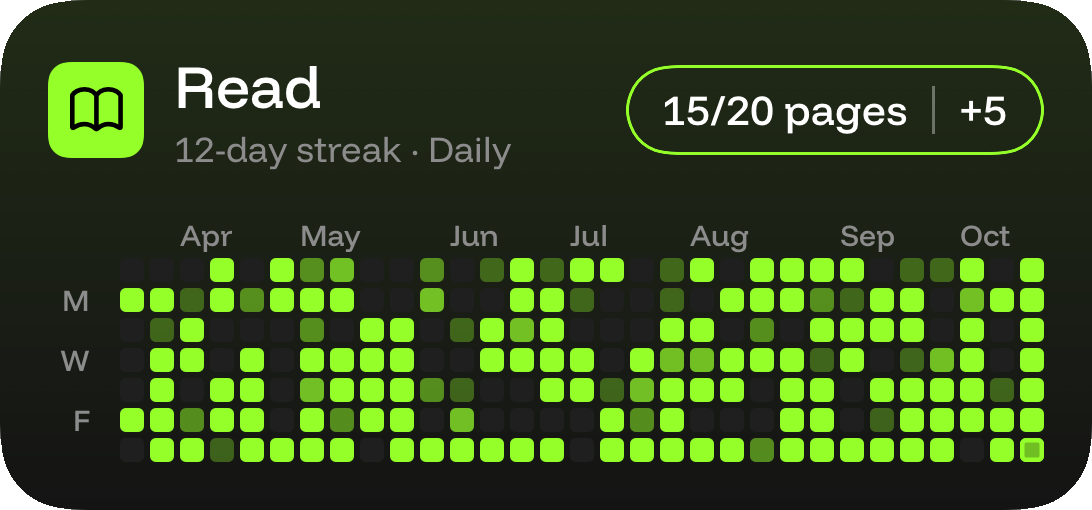
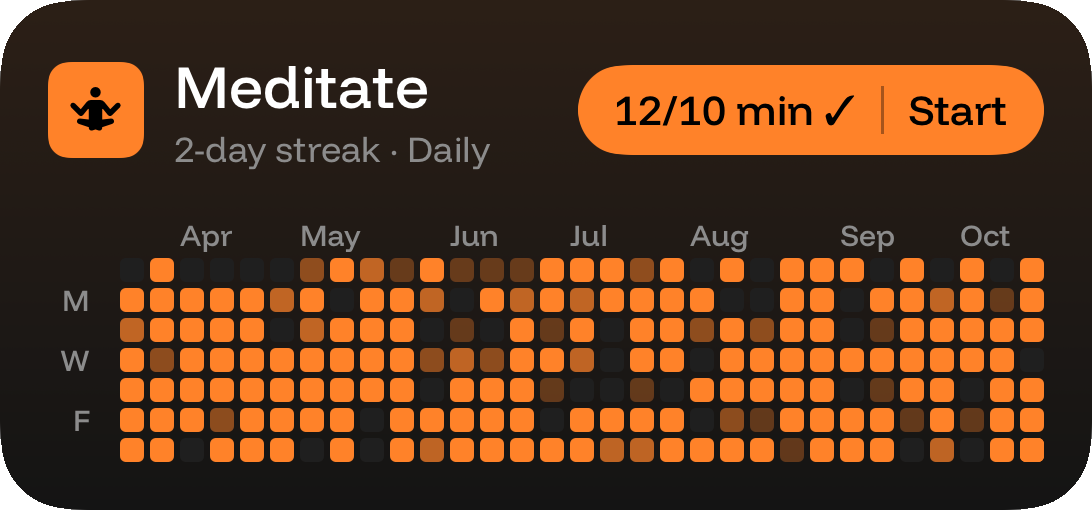
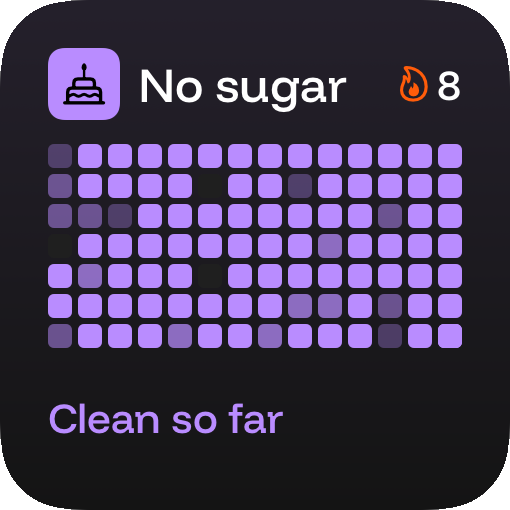
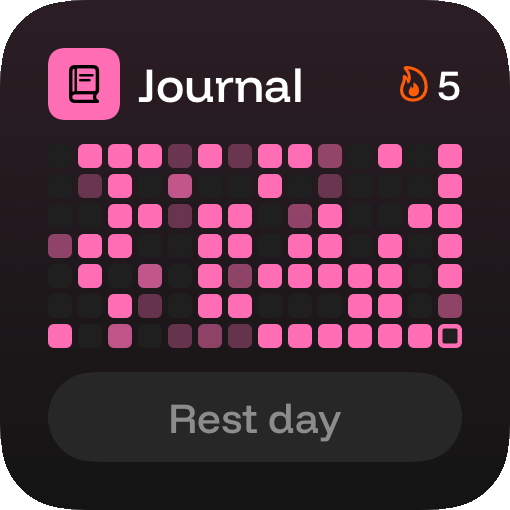
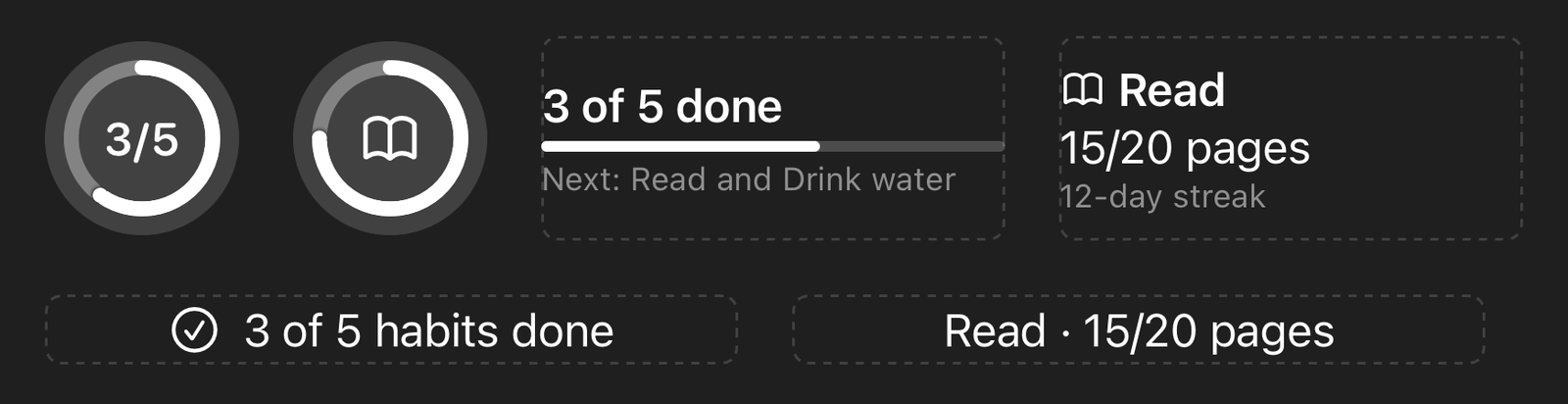
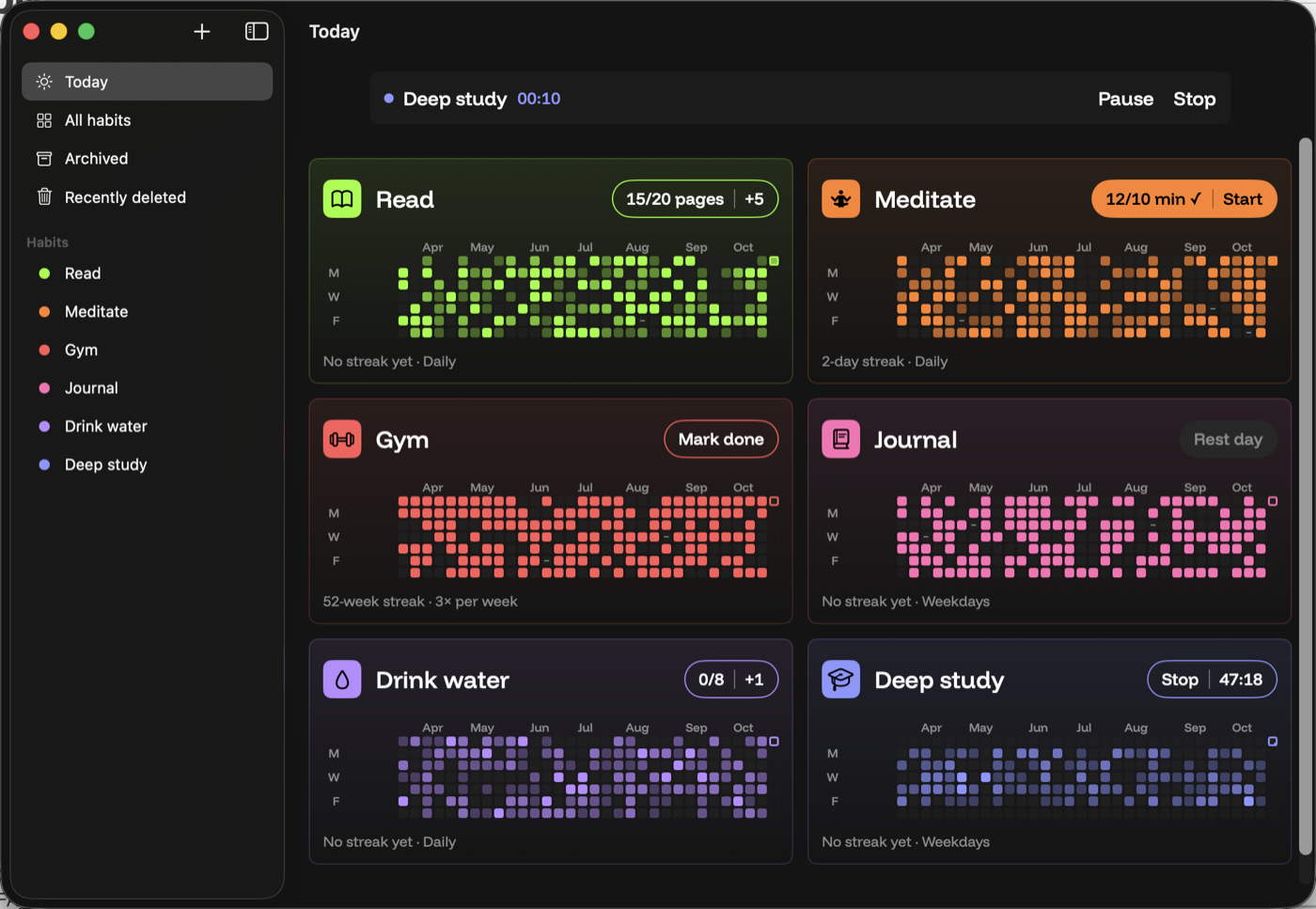
Both ship at launch. One App Store purchase covers both. The Mac app is a Mac app: a sidebar, keyboard shortcuts, and a menu bar timer for the work you do at a desk.
Building
Reading, running, drawing, language, the instrument you keep meaning to pick up. The square doesn't grade the day. It records that you showed up.
Studying
Pages, problems, minutes at the desk. A timer for the session, including from the Mac menu bar, and a count for the pages if that's the goal instead.
Setting down
Vaping, smoking, sugar, or anything similar. Clean days fill in. A slip is marked without a speech. Nothing here treats that as a medical program.
Billed by Apple, in the price your App Store shows before you pay. The numbers here are US dollars. One purchase unlocks iPhone and Mac. Cancel a subscription anytime.
$2/mo
Renews every month until you cancel in your Apple Account settings.
Half off the first year
$12 first year
Then $24 a year. That's 50% off year one. Cancel anytime before it renews.
$35 once
A single purchase. It does not renew. It covers Habitumap on iPhone and Mac for as long as the app is offered.
Deleting the app does not cancel a subscription. Refunds go through Apple. There is no separate free tier.
Each habit is a heatmap. A column is a week, a square is a day, and the color gets stronger as you get closer to the goal. Empty squares are days with nothing logged. The grids on this site are illustrations.
The days you did fill stay filled. For a daily habit, a scheduled day with nothing logged breaks the streak count. It does not erase the year. You can show up again the next day.
Skip is a rest day you mark on purpose: sick, traveling, or simply off. That day stays out of the streak, so a rest is not a failure. A miss is a scheduled day you didn't log and didn't skip.
Avoid is for something you're cutting back or quitting, like sugar, nicotine, or a habit you want less of. Each clean day fills a square. If you slip, that day is marked, and the next day is a new square. Slips ask you to confirm inside the app so a stray tap can't mark one. This is a record you keep. It is not medical advice.
Yes. Home Screen, Lock Screen, and Mac widgets can check a habit, add to a count or amount, or start and stop a timer. A reminder can do that too, and so can a Shortcut. Avoid-mode slips stay inside the app, behind a confirmation.
They're one app on the App Store, and one purchase covers both. Habits are stored on the device. When you're signed into iCloud, they sync through your private iCloud. There is no Habitumap account. If iCloud is off, that device still works on its own.
On your iPhone and Mac, and in your private iCloud if sync is available. Habitumap does not run an account server for your habits. You can export a copy, and deleted habits sit in Recently deleted for 30 days before they are removed. Details are in the privacy policy.
No. Monthly is $2. Yearly is $12 for the first year, then $24 a year. Lifetime is $35 once. Apple shows the price for your region before you pay.
Subscriptions renew until you cancel them in your Apple Account settings, at least 24 hours before the period ends. Deleting the app does not cancel. Lifetime does not renew. Refunds are requested from Apple.
No. Habitumap is a general habit tracker. It is not a medical device, not therapy, and not a plan for quitting nicotine, changing how you eat, or anything else health-related. If you need care, talk to a qualified professional.
Soon, on the App Store for iPhone and Mac together. The early-access form on this page is the way to hear about it. It is not connected to a mailing list yet.
We'll write when Habitumap is on the App Store. Same form as above, still not connected to a server.